
Troubleshooting and platform limits
Posts are stuck waiting for approval
Why an Editor's posts sit in "Waiting on others", and how Owners and Admins can get them moving.
Symptom
Posts sit in Waiting on others or show Waiting (orange) in Scheduling, and they never publish. Nobody seems to be asked to approve them.
Why it happens
- The default rule needs an Admin. Each client starts with one approval from any Admin or the Owner. An Editor's posts wait until one of them approves.
- Authors can't approve their own posts. If the only approver wrote the post, nobody else can approve it.
- The rule asks for more approvals than there are approvers. For example, 2 approvals with only 1 approver. Then no post can ever go live.
- Approvers aren't notified outside Kredia. There are no approval emails and no push notifications yet. Approvers see a badge on Approvals in the sidebar and the Needs my approval button in Scheduling, but only when they're in Kredia.
How to fix
Approvers: open Approvals, stay on Needs me, and approve or request changes. See How to approve a post or request changes.
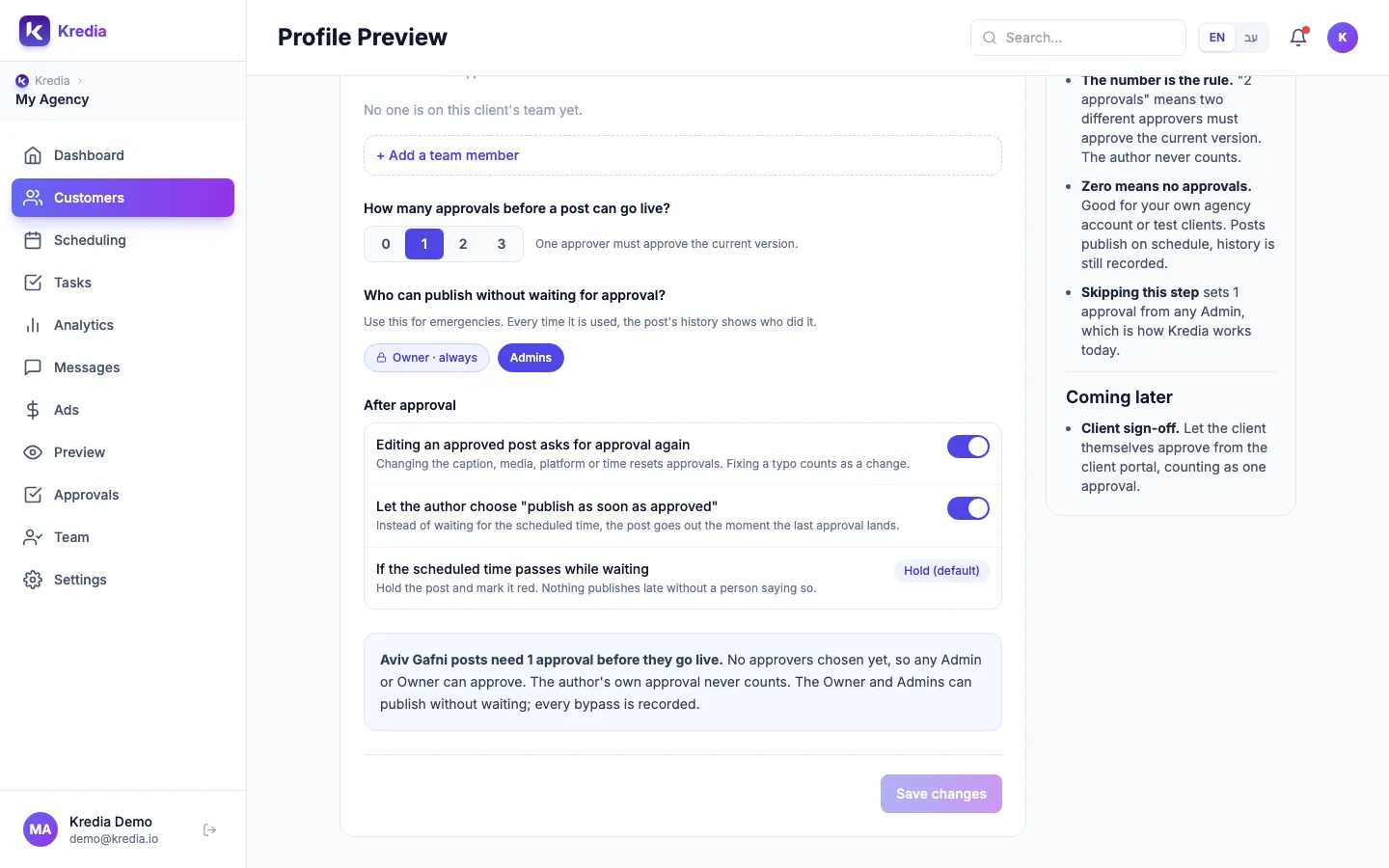
Owners and Admins: check the client's rule.
- Open Customers, hover over the client's card and click Profile Preview.
- Open the Team & approvals tab.
- Read the summary box. It says how many approvals posts need, from whom, and warns if no post could ever go live.
- Fix the rule: add approvers, lower the number of approvals, or let specific people publish without waiting.
- Click Save changes.
Posts that are already waiting can be published by anyone allowed to skip approval: open the post's details and click Publish without approval.
If a waiting post's scheduled time has already passed, it's held even after approval. See An approved post didn't publish.
Still stuck?
Email [email protected] or use the Contact page, with the client's name.
See also
Was this article helpful?