
Clients and connected accounts
How to connect a Facebook Page
Connect a client's Facebook Page so Kredia can publish posts, Reels and Stories to it, show its messages and comments, and run Meta ads.
How-toWho it's for:OwnerAdminEditorViewerFacebook
Checked on 24 October 2026Open in Kredia
Connect the client's Facebook Page once, and Kredia can publish text, photo and video posts, Reels and Stories to it, edit the Page's bio and picture, and show its Messenger conversations and post comments. A connected Page is also required for running Meta ads for the client.
Before you start
- The client exists in Kredia. If not, add them on the Customers page first.
- You connect a Page, not a personal profile. Kredia publishes to Facebook Pages only.
- Sign in with a Facebook profile that is an admin of the Page. It can be your profile or the client's.
- Popups are allowed for kredia.io in your browser.
Any member of the agency team can connect accounts. If the client would rather not share their login, send them a connection link instead (see How to send a client a link to connect their own accounts).
Connect the Page
- Open Customers, point at the client's card and click Connect Social Media.
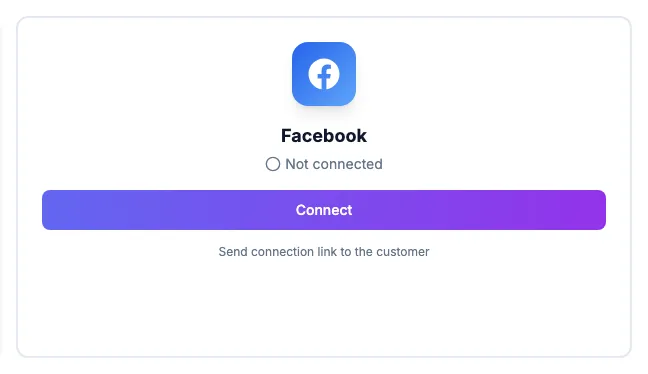
- On the Facebook card, click Connect.
- In the popup, sign in to Facebook and allow the permissions Kredia asks for. When Facebook asks which Pages to share, include the client's Page.
- If the profile manages several Pages, Kredia shows Choose a Facebook Page. Pick the client's Page.
- The Facebook card turns green and shows Connected with the Page name.
What can go wrong
- Only the first photo of a multi-photo post is published. This is a current limitation on Facebook: when a post has several images, only the first one goes out. For a multi-photo post on Facebook, publish it in Facebook for now.
- Your Page isn't offered. The Facebook profile you signed in with isn't an admin of that Page, or the Page wasn't selected when Facebook asked which Pages to share. Reconnect and include it.
- Messages for the Page don't load. This can happen when the Page belongs to a Meta Business portfolio and the person who connected it isn't assigned to the Page personally. Assign that person to the Page in Meta's business settings, then reconnect Facebook in Kredia.
- The card shows Expired — reconnect. See Account shows "Expired, reconnect".
- Nothing happens when you click Connect. Your browser blocked the popup. Allow popups for kredia.io and try again.
See also
Was this article helpful?