
Plans and billing
Plans and team seats
Where to see your agency's plan, how team seats are counted, and how to get more seats while in-app upgrades aren't available yet.
ConceptWho it's for:OwnerAdmin
Checked on 24 October 2026Open in Kredia
Every agency is on a plan. The plan decides how many team seats the agency has. Upgrading inside Kredia isn't available yet, so this page explains what applies today.
See your plan
Open Settings and find Subscription & Billing. It shows your Current plan.
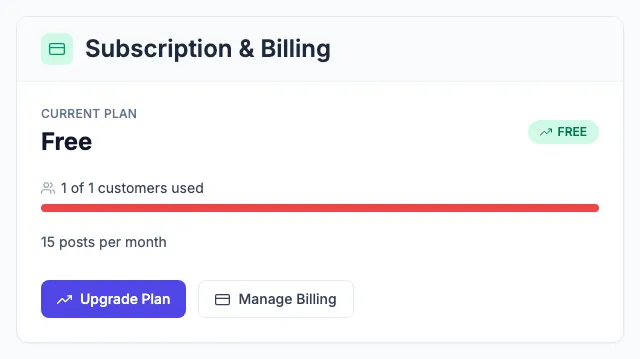
- Upgrade Plan and Manage Billing open an email to Kredia's sales team. There's no in-app checkout yet.
- The card also shows a number of clients and posts per month. Kredia doesn't limit how many clients you add or how many posts you publish today. Team seats are the only limit that applies.
For plan details and prices, see the pricing page.
How team seats are counted
As of 2026-10-24:
- Every team member uses a seat, including the Owner.
- Every pending invitation uses a seat until it's accepted, revoked or expires.
- The Free plan includes 3 seats. That's the Owner plus two more people or pending invitations.
- The Design Partner plan includes 5 seats. Kredia gives it to selected agencies with a code. See How to redeem a design-partner code.
When all seats are used, a new invitation fails with "Your Free plan includes 3 team seats (including pending invites). To add more, contact [email protected]." Someone opening an invitation to a full agency sees "This agency has no free team seats".
Getting more seats
- Revoke pending invitations that nobody needs anymore on the Team page. Each one frees a seat.
- If Kredia gave you a design-partner code, redeem it in Settings.
- Otherwise, email [email protected].
See also
Was this article helpful?