
Plans and billing
How to redeem a design-partner code
Enter the design-partner code Kredia emailed you in Settings to switch your agency to the Design Partner plan.
How-toWho it's for:OwnerAdmin
Checked on 24 October 2026Open in Kredia
Kredia invites selected agencies to be design partners. If you're one of them, Kredia emailed you a code that starts with DP-. Redeeming it switches your agency to the Design Partner plan.
Before you start
- You're the Owner or an Admin of the agency. Other roles don't see the code box.
- You're signed in with the email address the code was sent to. Each code belongs to one address and works only once.
- You already created your agency. If not, see How to create your agency.
Redeem the code
- Open Settings.
- Find Have a design-partner code? below Subscription & Billing.
- Enter the code in Design-partner code and click Apply.
- Kredia confirms Design Partner plan active, with the end date. The plan card now shows Design Partner.
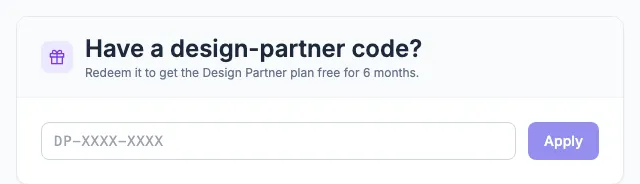
After the plan is active, the code box disappears from Settings.
What the Design Partner plan includes
As of 2026-10-24: up to 5 team members, up to 5 client accounts and unlimited posts, free for 6 months. Kredia may change these terms; the plan card in Settings shows the date your plan ends.
What can go wrong
- "That code isn't valid. Check it and try again." Check for typos. The code also fails when you're signed in with a different email address than the one the code was sent to.
- "This code has already been redeemed." Each code works once.
- "Only the agency owner or an admin can redeem a code." Ask your agency's Owner or an Admin to redeem it.
- "Something went wrong on our side." Wait a moment and try again. If it keeps failing, email [email protected].
See also
Was this article helpful?